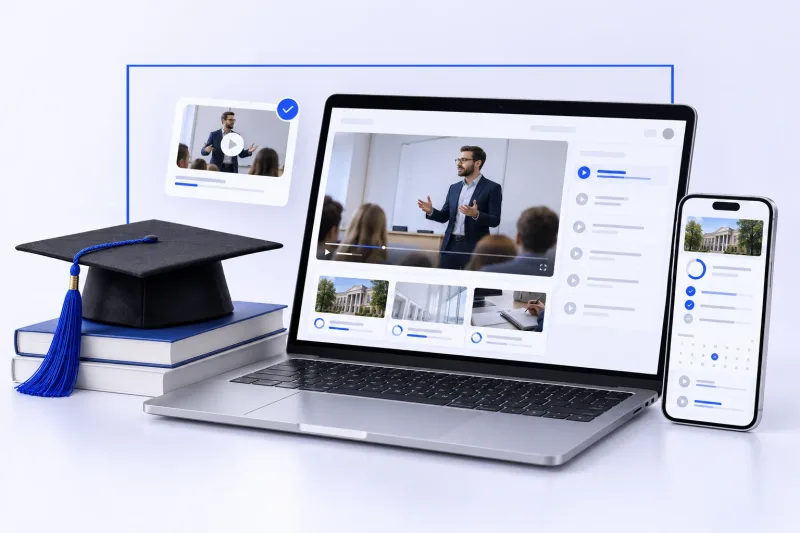


Academic Digitization | Technoraft Portfolio
Digital Education Starts with the Student Journey
Clear content, understandable interfaces and purposeful next steps provide a foundation for planning an educational digital project.
When an academy plans a digital service, the important questions extend beyond visual design. How will students identify relevant information? How will they understand the service? Which tasks belong on the website, and which take place in an application?
Three Academy appears in Technoraft’s educational portfolio. It provides a starting point for discussing how student needs should inform content structure, navigation and development requirements.
What is Three Academy?
Technoraft presents Three Academy as an education project for university students. Its project description refers to explanations, summaries, assessments and progress tracking. This provides context for considering how learning experiences can be organized.
What does academic digitization involve?
Academic digitization uses digital solutions to organize part of an educational experience or its administration. Depending on the project, this may involve introducing courses, delivering content through an app, or supporting interactions with students.
The starting point is a defined problem. An academy may need to explain its programs more clearly, reduce scattered information, or clarify how someone begins using its service. Each problem leads to different content, design and development decisions.
Define the intended student
Describe the audience in practical terms. Is the student looking for help with a subject, developing a professional skill, or revising a particular topic? This affects terminology, information priorities and navigation.
Research should focus on tasks: what information is needed before a decision, what users expect inside each section, and where unclear instructions cause hesitation. These questions connect design decisions to actual use.
Structure content before designing screens
Agree on the relationships between programs, courses, units and lessons, or whichever categories the project uses. Consistent definitions make it easier to prepare data, write headings and design navigation.
Review designs with realistic content early. Long titles, short descriptions and inconsistent image dimensions can reveal issues that placeholder text conceals. Content preparation should therefore be part of the delivery plan.
Questions to answer before development
- Who is the student, and what is their main task?
- How is content categorized and approved?
- What information appears before someone uses the service?
- Which steps belong on the website or in the app?
- How can users obtain help?
- What acceptance criteria apply to each function?
Give the website and app clear roles
Having a website and an application does not mean both must offer identical functions. A website may introduce the academy, while other actions take place in the app. Buttons and instructions should explain that division accurately.
At the time this article was prepared, the official Three Academy website displayed a coming-soon message and directed visitors to its application. Refer to the official interface for availability at the time of use.
Prototype a journey before implementing it
A new academy could review a sample journey in which a student understands the service, reads relevant information and moves to the channel where the next action takes place. This is a planning example, not a claim about additional Three Academy features.
- Understand: identify what the academy provides and whom it serves.
- Review: read the details needed to make an informed decision.
- Continue: follow a clearly labeled action consistent with the approved service scope.
Observe hesitation during review. Do students understand the terminology? Does a button lead where they expect? Can they return to earlier information? These observations support concrete improvements before implementation.
Review mobile usability through specific tasks
Test heading readability, descriptions, buttons and card layouts on representative phone screens. Long content may need careful grouping so it remains understandable.
Also define relevant empty, loading and error states. Messages should explain what happened and what the user can do next, within the functions included in the project.
Plan operational responsibilities
Before launch, assign responsibility for updating information, reviewing links, approving content and answering usage questions. These responsibilities shape the experience after initial development ends.
Establish a simple process for reporting issues: how a problem is recorded, which details are needed, and who assigns its priority. A clear process helps organize future improvements.
Evaluate outcomes against the interface’s purpose
Choose measures that reflect the actual goal. For an informational website, review whether visitors find important information and understand the next action. For implemented learning functions, define appropriate measures based on their scope and available instrumentation.
Combine usage data with user feedback. Data may show where people stop, while conversations help explain why. Select measurement tools with appropriate attention to permissions and data policies.
Discuss your educational project with Technoraft
Prepare a description of your academy, audience, content and required interfaces. Include one important student journey, first-release priorities and existing systems that may need integration.
Review the Three Academy project page and Technoraft’s portfolio to identify examples relevant to your requirements. Final delivery scope is defined in the approved technical and financial proposal.
Frequently asked questions
What is the first step in educational platform development?
Define the audience, problem and essential tasks, then document interface roles, content and functionality before coding.
Should a website and app offer identical functions?
No. Each interface should have a role defined by the project scope. Users should clearly understand where each action takes place.
How does a portfolio help when choosing a developer?
It supports discussion of relevant experiences, while allowing you to examine actual delivery scope rather than assume every feature will be included in a new project.
What information is needed for an education project quotation?
Describe the activity, audience, content, interfaces, user roles, key workflows and integrations to investigate.
Planning Your Academy’s Digital Experience?
Share your content model and intended student journey with Technoraft to discuss a suitable website or application scope.

