

Healthcare Digitization • TClinic by Technoraft
Your Clinic Needs Clear Information at the Right Time
Explore the role of digital systems in appointments, patient information, and financial administration, starting with your team’s actual workflow.
What Is TClinic?
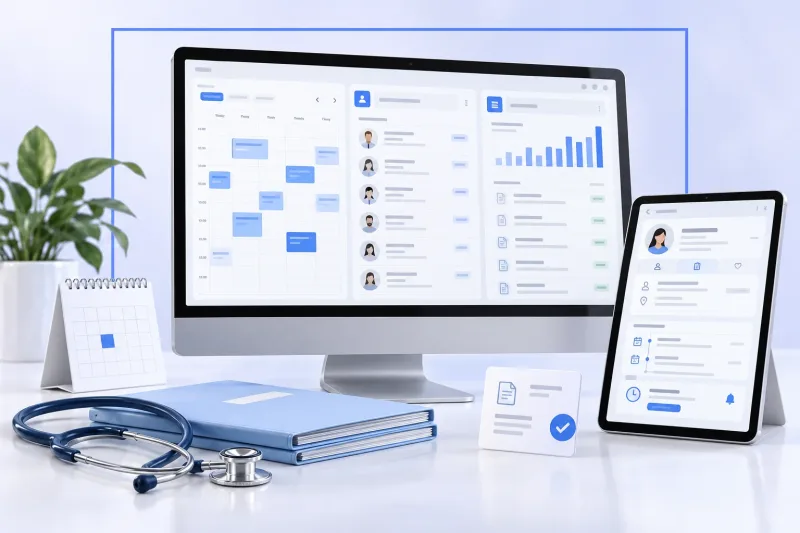
TClinic is Technoraft’s cloud-based clinic and medical center management system. Its published features cover appointments, patient records, accounting, reports, appointment reminders, medical history, test records, technical support, and periodic updates.
A clinic’s working day begins before a patient enters the consultation room. Appointments need confirmation, records must be located, schedules change, and financial transactions need recording. As visits increase, these tasks involve several people.
Choosing a clinic management system should therefore begin with the workflow. Each user needs to know where information is located, which action is required, and how completed work can be reviewed.
TClinic by Technoraft provides a starting point for discussing these needs. This article explores practical questions that help clinic owners and medical center managers evaluate a system against their daily operations.
Start with the Patient Journey
Describe one complete visit before selecting software. How is the appointment requested and recorded? Who verifies patient details? What happens when someone arrives late or reschedules? These questions reveal requirements more clearly than a general feature list.
Then review how information moves between reception, the clinician, and accounting. Repeated data entry or constant requests for status updates identify areas worth discussing during a demonstration.
Define Appointment Procedures
Scheduling requires clear rules for appointment duration, working hours, cancellations, rescheduling, and attendance. A single-practitioner clinic may follow different procedures from a multidisciplinary medical center.
Ask to see an existing appointment changed during the demonstration. If reminders form part of your scope, discuss their delivery channel, timing, configuration, and associated costs.
Organize Patient Information
Decide which details are required at the first visit and which can be completed later. Define how records are searched, how similar names are handled, and how incorrect information is reviewed.
Distinguish administrative information from clinical information and identify who needs each type. If existing records must be moved, discuss formats, migration feasibility, and validation within a clear scope.
Make the Demonstration Relevant to Your Working Day
Review a Complete Visit Using Sample Data
Discuss appointment, record, and financial requirements with Technoraft before choosing.
Request a Quote Talk to TechnoraftIdentify Daily Financial Questions
A manager may need to review collections and expenses, while an accounting user needs transaction details and an approved process for corrections.
Prepare examples of the questions you want answered at the end of the day. If your workflow includes installments, discounts, adjustments, or practitioner revenue shares, request confirmation of their handling within the proposed scope.
Choose Reports Around Decisions
Useful reports answer specific questions. Do you need a daily review, a comparison between periods, or an expense category requiring attention? Define the question before selecting data and filters.
During the demonstration, ask to trace a reported figure to its underlying records. Review update timing and the treatment of amended or canceled transactions.
Discuss Permissions and Cloud Operations
Review clinician, reception, accounting, and administrator roles separately. Each user’s access should follow their responsibilities.
Ask about hosting, backups, recovery, account management, and procedures for internet interruptions. These arrangements should be assessed against the organization’s requirements and documented agreement.
How to Evaluate TClinic
Prepare a scenario containing an appointment, a sample patient record, a financial transaction, and a report you want to review. Ask to follow the steps and discuss each user’s role. Use demonstration data rather than real patient information.
Afterwards, document the required functionality, costs, timeline, training, and support. Specialized requirements such as insurance, external integrations, or a dedicated application need separate confirmation.
A Practical Step toward Clinic Digitization
Digitization starts with understanding procedures and responsibilities, then selecting tools that support them. Discuss TClinic with Technoraft using a specific operational challenge as your starting point.
Describe the problem, provide an example, and agree on an outcome that can be checked during the demonstration. This connects system evaluation with the clinic’s actual work.
Frequently Asked Questions
What is TClinic?
A cloud-based clinic and medical center management system from Technoraft.
How should I define my requirements?
Describe a complete visit and identify the procedures, users, and information needed at each step.
Will it fit my existing workflow?
Evaluate suitability through a relevant demonstration and confirmation of required functions.
Can existing data be migrated?
Migration feasibility, formats, and validation need confirmation with the team.
What should I ask about support?
Discuss channels, availability, scope, training, and updates, and document the agreed arrangements.
How can I request a quote?
Use Technoraft’s inquiry form or WhatsApp at +201503636066.
Discuss Your Clinic’s Requirements with Technoraft
Explore TClinic and define a scope suited to your workflow.
Explore TClinic Request a Quote Contact Us on WhatsApp
